Random Letter Generator
This random letter generator picks a letter from A to Z with a spinning wheel or instantly, with Scattergories, vowel and consonant options built in.
A
Things to do with a random letter
Pick a letter, then try one of these. The category lists work like a round of Scattergories, and the other lists suit a classroom or a sketchbook.
Scattergories-style categories
- A fruit or vegetable
- An animal
- A city or town
- A first name
- Something in a kitchen
- A sport or game
- A job
- Something you wear
- A dessert
- A TV show or movie
- Something cold
- A school subject
- A country
- A word that describes a person
Letter games for class
- Say five words that start with the letter
- Find an object in the room that starts with it
- Write the letter in uppercase and lowercase
- Say its sound, then three words that use it
- Write a word that ends with the letter
- Count how often it shows up on one page of a book
- Make the letter shape with your arms
- Write a sentence where most words start with it
- Spell a word that has the letter twice
- Name a classmate or book character whose name has it
Name and drawing challenges
- Name a pet that starts with the letter
- Name a hero for your next story
- Name an imaginary planet
- Brainstorm a team name
- Draw an animal that starts with the letter
- Turn the letter shape into a doodle
- Draw three objects that start with it
- Design a monogram from two random letters
- Draw a monster and give it a name with the letter
- Fill a page with patterns made from the letter
How to use the Letter Generator
- 01
Choose your letters
Keep All letters or switch to Vowels or Consonants. Under Leave out, pick Q, X and Z or the Scattergories die, or type your own letters.
- 02
Set how many
Pick 1, 3, 5 or 10 letters. With Allow repeats off, one draw never shows the same letter twice.
- 03
Spin or pick
Press Spin to turn the wheel for one letter, or choose Instant and press Pick. On a computer, the Space key works too.
- 04
Use the letter
Press Copy to paste it somewhere, or open Full screen so a whole room can see it.
Random letter for Scattergories
For Scattergories, choose Scattergories die (no Q, U, V, X, Y, Z) under Leave out. That leaves the 20 letters on the classic 20-sided die: A to P, plus R, S, T and W. Each press then gives you a letter you could roll in the box game.
The rules are short. Everyone gets the same list of 12 categories. Someone picks the letter, a timer of up to 3 minutes starts, and each player writes one answer per category that starts with that letter. When time runs out, players read their answers aloud. A unique answer scores 1 point. If two players wrote the same answer, neither scores it.
A few house rules keep the game fair:
- Words like "a", "an" and "the" at the start don't count toward the letter.
- For a person's name, the first or last name can match the letter.
- If someone challenges an answer, the group votes on it.
- Some groups give a bonus point when every word in an answer starts with the letter.
Play Scattergories without the box
You don't need the board game to play. A few sheets of paper, a timer on your phone and this page are enough.
- Write a list of 12 categories, or use the list above. Give everyone a copy.
- Choose Scattergories die (no Q, U, V, X, Y, Z) under Leave out and press Spin.
- Start a timer for 2 or 3 minutes. Everyone writes one answer per category that starts with the letter.
- Read the answers aloud. Cross out any answer that someone else also wrote, then count 1 point for each one left.
- Spin a new letter and play again. Type the letters you've used into Also leave out so they don't come back.
Random letter wheel
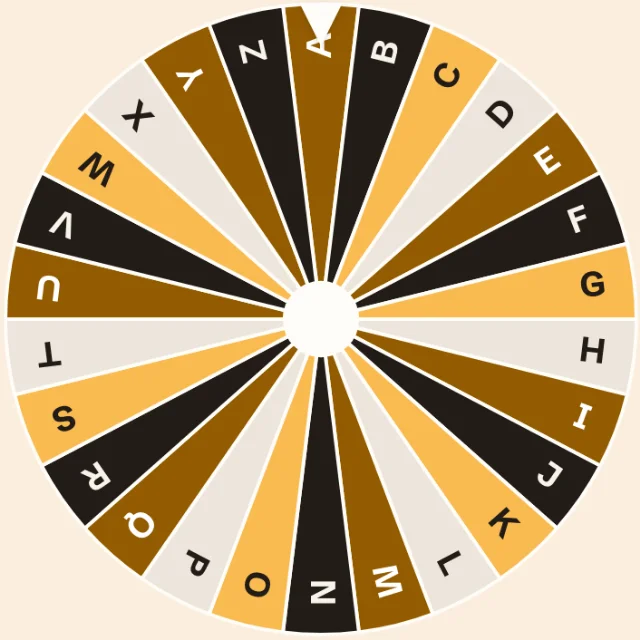
The wheel shows every letter still in play, so you can see when you've left some out. Press Spin and it turns and stops on your letter. Turn Sound off if you're in a quiet room.
The wheel spins only when you draw one letter at a time. Ask for 3, 5 or 10 and the letters appear at once. If you prefer no animation at all, choose Instant. If your device is set to reduce motion, the wheel stops on the letter without the long spin.
Vowels and consonants
Switch to Vowels to draw only from A, E, I, O and U. Switch to Consonants for the other 21 letters. Y counts as a consonant here.
Vowel draws help with early reading: pick a vowel, then think of a short word that uses it, like "cat" for A or "pig" for I. Consonant draws work well for word games, since most words in a category game start with one. You can mix these with Leave out: for example, consonants without Q, X and Z.
No repeats
Allow repeats is off by default. With it off, a draw of 3, 5 or 10 letters never shows the same letter twice. Turn it on if you want each letter picked on its own, so doubles can happen.
Each press is a fresh draw, so a letter can come back on the next press. The list under the tool shows your recent letters, so you can skip one you've already played. To keep a letter out for the rest of the game, type it in Also leave out.
Random letters for kids and spelling games
A big letter on a screen is an easy way to start a short class game. Open Full screen on a projector, press Space, and ask the class for words that start with it. Tick Lowercase for children who are learning small letters first.
Draw 5 letters and ask students to build the longest word they can from them. Draw 3 and have them write one sentence where each word starts with one of the letters. For older students, give a letter and a category and see who finishes first.
If you want a full sentence to copy or read aloud instead, try the random sentence generator.
Names, writing and drawing challenges
A random letter breaks a blank-page moment. Writers can use it to name a character or a place. Teams can use it to brainstorm a name: everyone suggests a name that starts with the letter, and the group picks a favorite.
Artists can draw something that starts with the letter, or turn the letter shape itself into a creature. For a longer list of ideas, browse our drawing prompts. Stuck on what to talk or write about? The random topic generator gives you a full topic instead of a single letter.
More games with random letters
Category games are only one way to use a letter. These games need nothing more than a letter and a group.
- Alphabet chain: say a word that starts with the letter, then the next player says one that starts with the last letter of your word.
- Letter hunt: everyone has 1 minute to find objects that start with the letter. Most objects wins.
- Three-letter words: draw 3 letters and make a phrase whose words start with them in order, like "big red truck" for B, R, T.
- Word builder: draw 10 letters with Allow repeats off and see who can make the longest word from them.
Is every letter equally likely?
Yes. Every letter still in play has the same chance on each draw. The tool uses your browser's built-in cryptographic random numbers to choose the letter first, and then the wheel turns to it. The wheel animation doesn't change the result.
Leaving letters out changes the odds only by shrinking the pool. With the Scattergories preset, each of the 20 letters has a 1 in 20 chance. With all 26 letters, each has a 1 in 26 chance. Everything runs in your browser. Your recent letters stay on your device, and our servers never see them.
For a quick yes or no on whether to play another round, spin the yes or no wheel.
Questions and answers
How do I pick a random letter?
Press Spin at the top of this page. The wheel stops on a letter from A to Z. To skip the animation, choose Instant and press Pick.
What letters are not in Scattergories?
The classic Scattergories die leaves out Q, U, V, X, Y and Z. Choose Scattergories die under Leave out to use the same 20 letters.
How many letters are on the Scattergories die?
There are 20 letters on the classic 20-sided die: A to P, plus R, S, T and W. Editions can differ, so check your own die if your game looks different.
Can I exclude hard letters like Q, X and Z?
Yes. Pick Q, X and Z under Leave out. To remove other letters, type them in Also leave out, for example "J K V".
Can I get random letters with no repeats?
Yes, within one draw. With Allow repeats off, a draw of 3, 5 or 10 letters has no doubles. A later press can repeat a letter, so type used letters into Also leave out if you never want them again.
Is every letter equally likely?
Yes. Each letter in play has the same chance. The tool picks with your browser's cryptographic random numbers before the wheel starts turning.
What can I use a random letter generator for?
Use it for Scattergories and other category games, classroom phonics and spelling games, naming characters or teams, and drawing challenges. The lists above give ideas to start with.