Yes or No Wheel
Type a question if you like, press Spin, and the yes or no wheel gives you a fair random answer in a few seconds.
?
Questions to ask the yes or no wheel
The wheel works best for small choices where either answer is fine. Here are questions people spin for, and a few that belong with a person instead.
Everyday decisions
- Should I order takeout tonight?
- Should I go for a walk right now?
- Should I wear the blue shirt?
- Should I watch one more episode?
- Should I get dessert?
- Should I try a new recipe this weekend?
- Should I clean my room before lunch?
- Should we see a movie tonight?
- Should I take the bus instead of walking?
- Should I start the new book tonight?
Party, game night and stream
- Do we play one more round?
- Does the loser do 10 jumping jacks?
- Does chat pick the next game?
- Is pineapple allowed on tonight's pizza?
- Does everyone switch seats?
- Is the next song a throwback?
- Do I have to talk like a pirate for a minute?
- Do we start with a speed round?
- Does the host pick the movie?
- Do we order snacks now?
Classroom
- Does row one go first?
- Do we read aloud today?
- Do we get 5 extra minutes of free reading?
- Does the class pick the cleanup song?
- Do we play a review game before the quiz?
- Do we work in pairs for this task?
- Does the teacher answer the next question in a funny voice?
- Do we go outside for the warmup?
Questions to leave to a person, not a wheel
- Should I take this medicine?
- Should I skip my doctor's appointment?
- Should I sign this contract?
- Should I invest my savings?
- Should I lend money I can't spare?
- Is it safe to drive in this storm?
- Should I quit my job today?
- Should I ignore this warning light?
How to use the Yes or No Wheel
- 01
Pick a mode
Choose Yes or no, Yes, no or maybe, Best of 3 or Best of 5.
- 02
Ask your question
Type it in Your question (optional) so it shows next to the answer. You can also skip this and keep the question in your head.
- 03
Spin the wheel
Press Spin or the Space key. Turn on Skip the animation for an instant answer.
- 04
Share or spin again
Press Copy or Share, or spin again. In a best of series, keep spinning until one answer wins.
How the yes or no wheel works
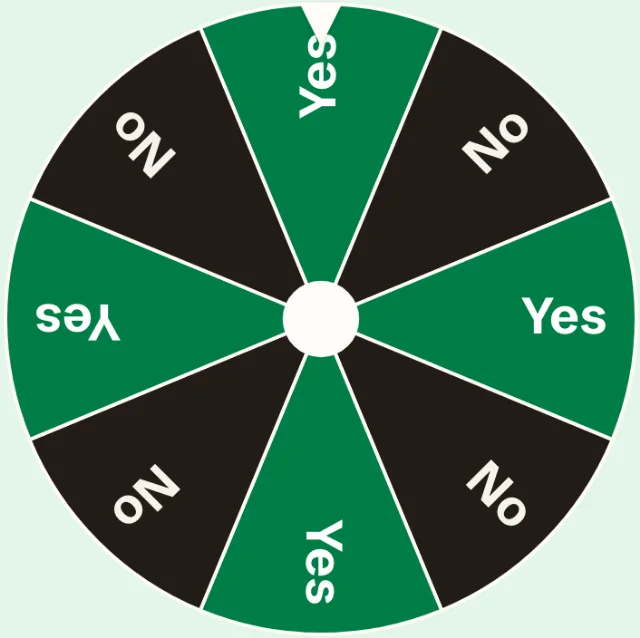
Press Spin and the answer is chosen first. The tool uses your browser's built-in cryptographic random numbers to pick one slice. The wheel then turns and stops on that slice. The animation is there to build suspense, and it can't change the result.
Because the pick happens before the spin, every slice has the same chance. In Yes or no mode, the wheel has 8 slices, 4 yes and 4 no, so each answer has a 50% chance. The slices alternate, so the wheel never looks lopsided toward one side.
Everything runs in your browser. Your question isn't saved anywhere, and it disappears when you close the page.
Yes, no or maybe
Choose Yes, no or maybe to add a third answer. The wheel then has 6 slices: 2 yes, 2 no and 2 maybe. Each answer has a 1 in 3 chance.
Maybe is useful when you want an honest "it depends". Treat it as a sign to wait a day, ask someone else or spin again later. Some groups use maybe as a wild card: on maybe, the person who asked picks.
Best of 3 and best of 5
A single spin can feel too quick. Best of 3 keeps spinning until yes or no wins 2 times. Best of 5 needs 3 wins. The score shows under the answer, for example "Yes 2 · No 1", along with the winner.
When a series ends, the button reads New series. Press it and the next spin starts a fresh score. A series is a good way to settle a friendly argument, since nobody can say one lucky spin decided it. Best of modes use only yes and no, so a series always ends with a winner.
Yes or no generator without the wheel
If you want the answer right away, turn on Skip the animation. The tool still picks the same way, it only skips the turning. The wheel also stops at once if your device is set to reduce motion.
Press the Space key to spin again without reaching for the mouse. The History line under the wheel lists your last answers from this visit, so you can see a streak of yeses or check what came up a minute ago.
When to use a yes or no wheel
A yes or no wheel helps most when both answers are fine and you're stuck anyway. It ends the loop of "I don't know, you pick". Watch how you feel when the wheel lands. If you feel relieved or let down, that tells you what you wanted.
- Indecision: small daily choices like food, chores or what to watch.
- Games: settle rules, pick who goes first or add a twist. For a full party game, try the truth or dare generator.
- Streams: open Full screen so viewers can watch the wheel, and let chat ask the questions.
- Classroom: project the wheel to decide small things the class can live with either way.
How to make a decision with the wheel
A spin works best with a little setup. These steps keep it fair and help you stick with the answer.
- Write the question so that yes and no both have a clear meaning. "Should I cook tonight?" works better than "What should I eat?".
- Agree on the rules before you spin, especially with friends. One spin, or best of 3?
- Pick the mode that matches those rules, then press Spin.
- Accept the answer and act on it. If you find yourself spinning again and again, you already know which answer you want.
On a phone, projector or stream
The wheel works the same on a phone and a computer. On a phone, tap Spin with your thumb and read the answer under the wheel. Full screen works where your browser supports it, and it fills the screen with the tool and makes the answer larger.
For a classroom or a stream, open the page on the shared screen and press Full screen. Turn off Sound if the room or the stream already has music. The Space key spins the wheel, so you can keep your hands on the keyboard while you talk. In a best of series, the score stays on screen so everyone can follow along.
What a yes or no wheel is not for
The wheel is a coin flip with better graphics. It knows nothing about you or your question. Don't use it for medical, legal, money or safety decisions. For those, talk to a doctor, a lawyer, a financial advisor or someone you trust.
It's also not tarot or fortune telling. A yes doesn't mean something will happen, and a no doesn't mean it won't. Use it for fun and for small choices.
Need a different kind of random pick? The random letter generator picks a letter for word games, and the random topic generator gives you something to talk about.
Questions and answers
Is the yes or no wheel really random?
Yes. The answer comes from your browser's cryptographic random numbers, and every slice has the same chance. The wheel only turns to the answer that was already picked.
How does a yes or no wheel work?
You press Spin, the tool picks a slice at random, and the wheel turns until it stops on that slice. In Yes or no mode, half the slices say yes and half say no.
Can I add a maybe option?
Yes. Choose Yes, no or maybe. The wheel then has equal yes, no and maybe slices, so each answer has a 1 in 3 chance.
Can I spin more than once for the same question?
Yes. Spin as often as you like. For a fair way to do it, pick Best of 3 or Best of 5 before you start, and accept the series winner.
Should I use a yes or no wheel for big decisions?
No. Use it for small choices where either answer is fine. For health, legal, money or safety questions, talk to a qualified person.
What questions can I ask the yes or no wheel?
Ask any question that has a yes or no answer, like "Should I order takeout tonight?" or "Do we play one more round?". The lists above have more ideas for home, parties and class.
Is this the same as a yes or no tarot reading?
No. The wheel is a random picker, not fortune telling. It can't predict anything. It gives you a fair answer to help you move on from a small choice.
Does the site save my question?
No. Your question stays on the page and is gone when you close it. Shared links carry only the mode, not the question.